


ABCya! Games
4.23.59K Reviews
App Specs
- Version
- 2.33.0
- Updated On
- License
- Free
- Downloads
- 1,000,000+
- Developer
- ABCya.com LLC
- Categories
- Educational
- Platform
- Android
Screenshots



 Analysis by AppCompare
I judge a kids’ learning game less by how colorful it looks than by whether a child can choose an activity, stay with it, and leave with something useful to talk about. ABCya! Games is an educational game from ABCya.com LLC, built around short activities for young learners. I see its strongest appeal in the mix of familiar school skills and playful formats: it can make a spare stretch of time feel more purposeful without asking a child to sit down for a formal lesson.
Start with the kind of screen time you want
Before installing it, I would ask whether you want a broad collection of learning games or a focused tool for one specific skill. ABCya! Games is better suited to the first job. Its activities span areas such as math and language arts, so a child can move between different kinds of practice instead of opening a separate app for every subject. That variety is useful when you are not sure what will hold a child’s attention on a particular day.
It is also worth being realistic about what a game can do. I would treat the app as a way to practise and explore, not as a replacement for a teacher, a reading routine, or a structured course. A child who needs a particular lesson sequence or close progress tracking may be better served by a more targeted learning product. Here, the attraction is that practice can feel like play; the trade-off is that the adult may need to help connect a game to what the child is learning elsewhere.
A Digital Playground for Young Minds
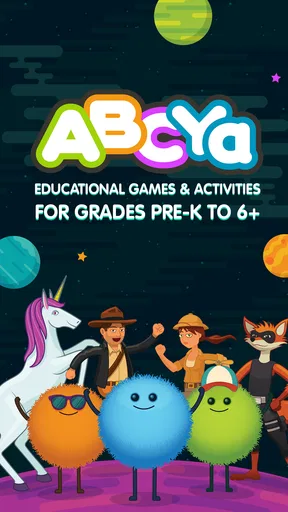
ABCya! Games serves as a digital playground where learning meets fun. With games aimed at children from pre-K through grade 6, it offers educational activities for a fairly broad range of early learners. The developers have put school-related practice into game form, covering subjects such as math and language arts. If your child is reluctant to sit down with a textbook, a playful activity can be an easier invitation to begin.
Variety is the Spice of Learning
The sheer variety of games available is truly impressive. Whether your child is a budding mathematician or a whiz with words, ABCya! Games has something to offer. I particularly enjoyed exploring the math games, which range from simple counting exercises to more complex math puzzles. Language arts enthusiasts will find plenty to love too, with games that enhance vocabulary and spelling skills.
One game that caught my attention was the "Alphabet Bingo." It’s a fun twist on traditional bingo, designed to help kids recognize letters and sounds. The app doesn’t just focus on core subjects; it also ventures into seasonal games, making learning relevant and timely. This diversity ensures that kids remain engaged and eager to explore more.
When a broad collection is an advantage
The breadth matters most when a child’s interests change quickly. One afternoon, a child may be happy to practise counting; another day, a word-focused activity may be a better fit. I would use that flexibility to offer a small choice rather than hand over the device with no direction: “Would you like a number game or a word game?” That keeps the child involved while giving the session a simple purpose.
Worth Reading Before You Choose

EA SPORTS FC Mobile 26 Is a Bigger Football Game, but It Takes Time

Flipboard Shows What News Apps Must Do Beyond the Feed

Switching to Android Auto Means Rethinking Your Driving Routine

Google Calendar Makes a Crowded Week Easier to Manage

Ludo King Makes the Most of the Minutes Between Plans

Baby Panda World Brings Quick Play to Modern Phones, but Its Game Library Feels Busy
For a realistic everyday use, imagine waiting for a meal at a restaurant with a young child who has finished talking and is starting to fidget. I would choose one activity together, let the child try it, then ask what they noticed or found tricky before moving on. That brief conversation turns screen time into a chance to practise explaining a choice or strategy. It is a small routine, but it helps the game feel less like an automatic distraction.
There is a useful trade-off in having many choices: variety can refresh interest, but it can also make browsing the activity itself. I would help a younger child pick one game before starting and agree on a natural stopping point, such as finishing the round or activity they chose. That approach makes the app easier to use in short windows and avoids treating endless switching as the goal.
User-Friendly Interface
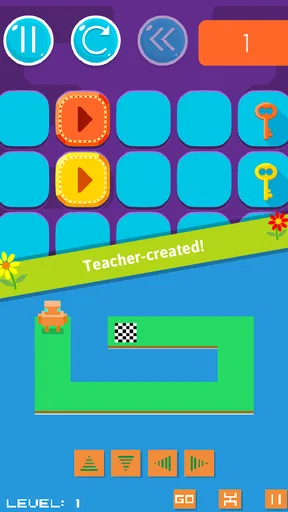
Navigating through ABCya! Games is a breeze. The app boasts a user-friendly interface that even the youngest users can manage with ease. Bright colors, intuitive icons, and clear instructions make it easy for kids to dive right in without much guidance. As a parent, I appreciated how seamlessly my child could transition from one game to another, exploring independently while I got a moment to sip my coffee.
The app also includes a handy "Favorites" feature, allowing kids to bookmark the games they love the most. This is a neat way for them to quickly access their preferred activities and for parents to see which areas their child is most interested in.
Make repeat visits more intentional
Favorites are more useful when they become a gentle starting point, rather than a reason to repeat the same activity every time. I would let a child save a game they genuinely enjoy, then occasionally suggest trying a different one nearby in subject or style. That gives a familiar option for days when the child needs an easy start, while still leaving room to discover new interests.
Parents can also use a favorite as a conversation prompt: ask what makes that game fun, what part feels easy, or where the child had to think. Those questions do not require a score report to be worthwhile. They make it easier to notice whether a child is choosing a game because it is comfortable, because it is challenging, or simply because its theme appeals to them.
Learning Beyond the Screen
While ABCya! Games is primarily a digital product, the learning doesn’t have to stop there. Many of the games encourage skills that can be easily transferred to real-life scenarios. For instance, the math games sharpen problem-solving skills, while language games enhance communication abilities. Encouraging kids to discuss what they learned can further solidify their understanding and foster a love for learning.
One of the most rewarding aspects of the app is its ability to cater to different learning paces and styles. Whether your child prefers to take it slow or dive into challenges, ABCya! Games accommodates all. This flexibility is crucial in nurturing a positive learning experience.
Use play as a bridge, not a lesson plan
A practical way to carry an activity off-screen is to connect its subject to something already happening. After a counting game, invite a child to count a few objects at home; after a word activity, ask them to spot or explain a word they remember. I would keep this light and let the child lead. The point is not to turn every game into homework, but to make it easier to see that numbers and language belong in everyday life too.
This approach is especially helpful when a child enjoys the game but is not ready for a long explanation. One simple question is often enough. If the child cannot describe a strategy, that is not proof the activity failed; it may just mean they were focused on play. I would use their response to decide whether to talk more, try another activity, or stop for the day.
Accessible Anytime, Anywhere
Another advantage of ABCya! Games is its accessibility. Available on both Android and iOS, it offers the flexibility of learning on-the-go. Whether you’re on a long car ride or waiting at a restaurant, the app provides a constructive way to keep kids entertained and learning.
The app does require an internet connection to download and update, but once that’s sorted, you’re good to go. The offline accessibility of some games is a nice touch, ensuring that learning isn’t interrupted even in areas with spotty internet.
Plan around connectivity and the device
For travel, I would not assume every activity will be available offline. The sensible move is to check the games you intend to use before leaving a reliable connection, then keep a non-screen backup for stretches when access is uncertain. That small bit of planning matters more on a journey than it does at home, where it is easy to switch activities or pause.
The app is free to download and is rated Everyone, which makes it approachable for family use, but an adult should still choose activities that suit the child’s age and patience. Its broad intended audience does not mean every game will be equally engaging for every learner. If a child is frustrated by reading instructions or bored by a familiar skill, choosing a different activity—or setting the app aside—is a better response than insisting they continue.
How it compares with other learning options
Compared with a single-skill practice app, ABCya! Games is appealing when you want subject variety and the freedom to follow a child’s curiosity. A focused reading or math program may be a better fit when you need a clear progression through one topic or a more deliberate routine. Compared with general entertainment games, ABCya! gives screen time an educational direction, though that does not make every minute a formal learning session.
I would also distinguish it from offline activities such as books, puzzles, and hands-on counting games. Those options are better when you want a break from screens, shared conversation, or a tactile task. ABCya! is most useful as one part of a mix: an easy digital choice for a short window, not the only way a child encounters learning.
Subscription Model
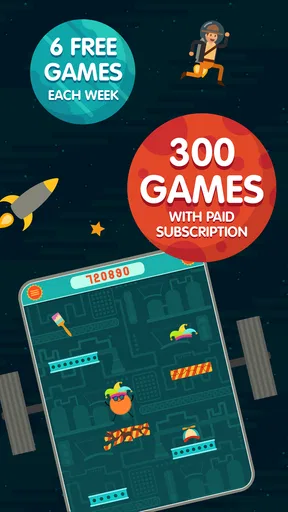
ABCya! Games operates on a subscription model, which is something to consider. While there are free games available, unlocking the full library provides a more comprehensive experience. The subscription is reasonably priced, offering good value considering the breadth of content available. Plus, knowing that your child is engaged in educational activities makes it feel like a worthwhile investment.
The game is free to download, and its in-app purchases range from $4.99 to $299.99 per item, so I would check the purchase options carefully before letting a child explore independently. The existence of a free starting point makes it possible to see whether the format suits your family before spending money. I would not pay simply because a larger library sounds appealing; first see whether the child returns to the activities and whether the available choices match what you want them to practise.
For families deciding whether to switch from another learning app, the main cost is not only money. It is the time needed to help a child find favorite activities and build a comfortable routine. If an existing app already supports a child’s specific learning goal and they use it happily, there may be little reason to replace it. If the current choice feels too narrow or children lose interest quickly, the range here may make a trial worthwhile.
Who I’d recommend it to
I would recommend ABCya! Games to families and educators looking for a flexible collection of playful activities for early learners, especially when the child likes choosing among different subjects. Its average rating is 4.2 from around 12,000 ratings, and it has been installed over a million times; those figures suggest it has found a substantial audience, though they cannot tell you whether a particular child will enjoy it.
It is less suitable if you want a tightly sequenced course, a guaranteed offline option for every game, or a screen-free activity. It may also not be the best first choice for a child who needs an adult to explain each instruction or who becomes unsettled by moving between choices. In those cases, a focused resource or a shared, hands-on activity may be a better match.
The game was released on August 4, 2017, and its current version is 2.33.0, with Android 7.0 as the minimum operating system. I would check that an older device meets that requirement before trying to install it. Those practical details matter most when a family is setting up a device specifically for a child, rather than using a newer phone or tablet already in regular use.
My recommendation
In conclusion, ABCya! Games is a fantastic resource for parents and educators seeking to make learning enjoyable. Its blend of fun, education, and accessibility creates an environment where children can thrive. Whether your child is just starting their educational journey or looking to hone specific skills, this app is a great companion. So, if you’re ready to turn screen time into learning time, give ABCya! Games a try. You might just find yourself sneaking in a game or two yourself!
My advice is to begin with a short, supervised visit: let the child choose one activity, see how they handle its instructions, and notice whether they want to return to it. That gives you a better answer than a broad promise about educational screen time. If the mix of subjects and playful practice fits your child, it can be a handy option to keep available; if they need a more structured path or prefer learning away from a screen, choose a resource built around that need instead.
Pros
- Wide variety of educational games.
- User-friendly interface for kids.
- Regular updates with new games.
- No ads in the premium version.
- Encourages learning through play.
Cons
- Free version includes ads.
- Some games may require in-app purchases.
- Limited offline access.
- Not all games are suitable for all ages.
- Subscription required for full access.
FAQs for ABCya! Games
What age group is ABCya! Games suitable for?
ABCya! Games is designed primarily for children in the elementary school age range, typically from Pre-K to 6th grade. The games are educational, focusing on subjects like math, language arts, and more, making them suitable for kids between the ages of 4 and 12.
Do I need an internet connection to play ABCya! Games?
Yes, an internet connection is required to play ABCya! Games. The platform hosts its games online, and accessing them requires a stable internet connection to ensure smooth gameplay and access to a wide range of educational games.
Is ABCya! Games free to use?
ABCya! Games offers a mix of free and premium content. While many games can be played for free, there is also a subscription option that provides access to additional features, such as an ad-free experience and exclusive games. It's a good idea to explore both options to see what best fits your needs.
Can ABCya! Games be used on both Android and iOS devices?
Yes, ABCya! Games is available on both Android and iOS platforms. The app can be downloaded from the respective app stores, and it offers a user-friendly interface suitable for both operating systems, ensuring a seamless experience across different devices.
How safe is ABCya! Games for children?
ABCya! Games is designed with children’s safety in mind. The platform provides a secure and educational environment with games that are appropriate for its target age group. Additionally, the app includes parental controls and privacy settings to further ensure a safe experience for young users.


